
How SalesLab works: from a product link to a debrief
You paste a link to your product. SalesLab reads the site and builds buyers who would actually consider it. You talk to one of them by voice or text, get a scored debrief with timestamps, and replay the exact moment that went wrong.
· 3 min read
1. Paste your product link
Start on the home page. Put your website in the field and press Show my buyers. No sign-up at this point.
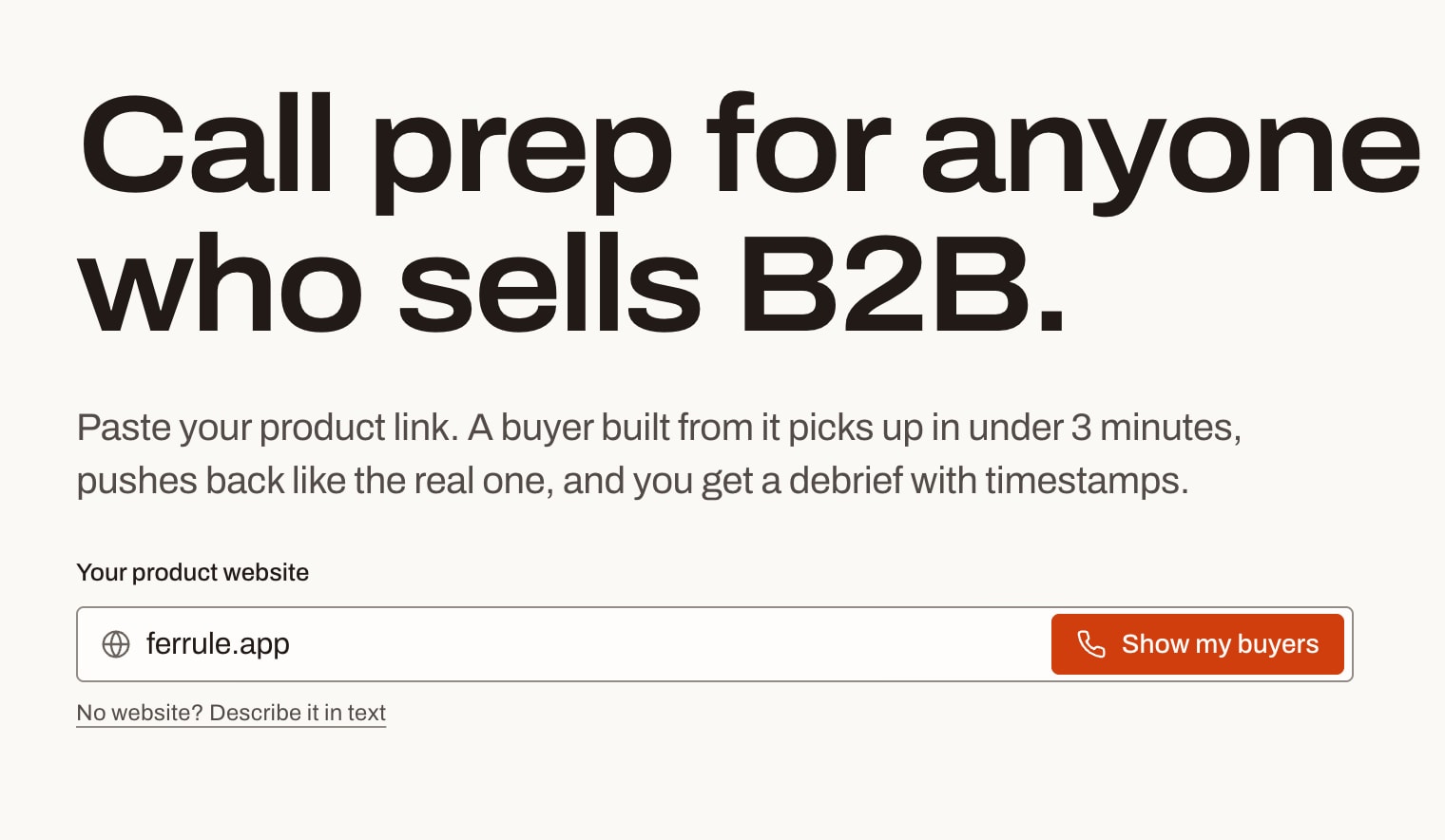
SalesLab reads a few pages of the site: what you sell, the price, who buys it, who you compete with. If you don’t have a website yet, click Describe it in text and write a few sentences about the product instead.
2. Get buyers built for your product
In about a minute you get a short profile of your product (what it does, price, competitors, typical objections) and three buyer segments.
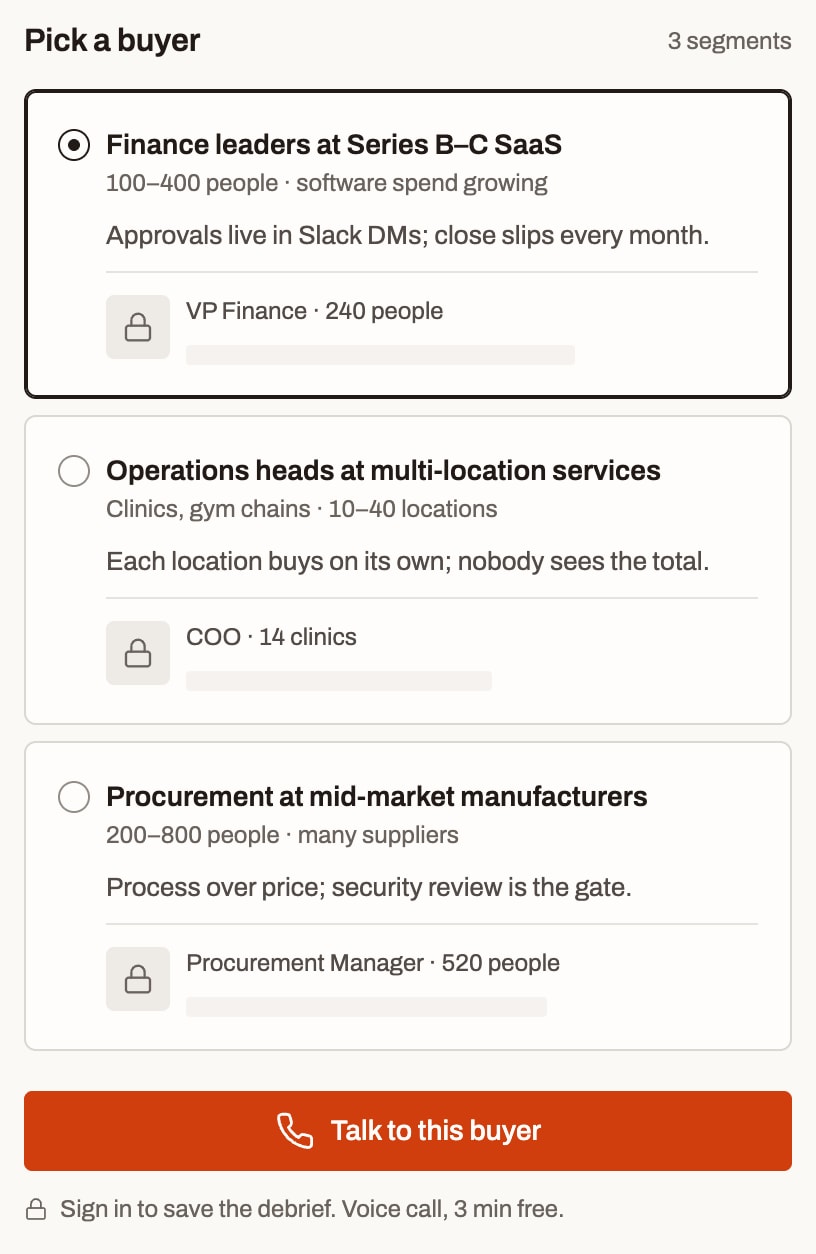
Each segment comes with a buyer: a role, a company size, and the objections people like that usually raise. For the example above that is “We already do approvals in NetSuite” or “Budget is locked until next quarter”. Check the profile anyway. If the price or the audience is off, you can edit it after you sign in.
3. Talk to the buyer
Pick a segment and press Talk to this buyer. Sign in with Google and the call starts right away.
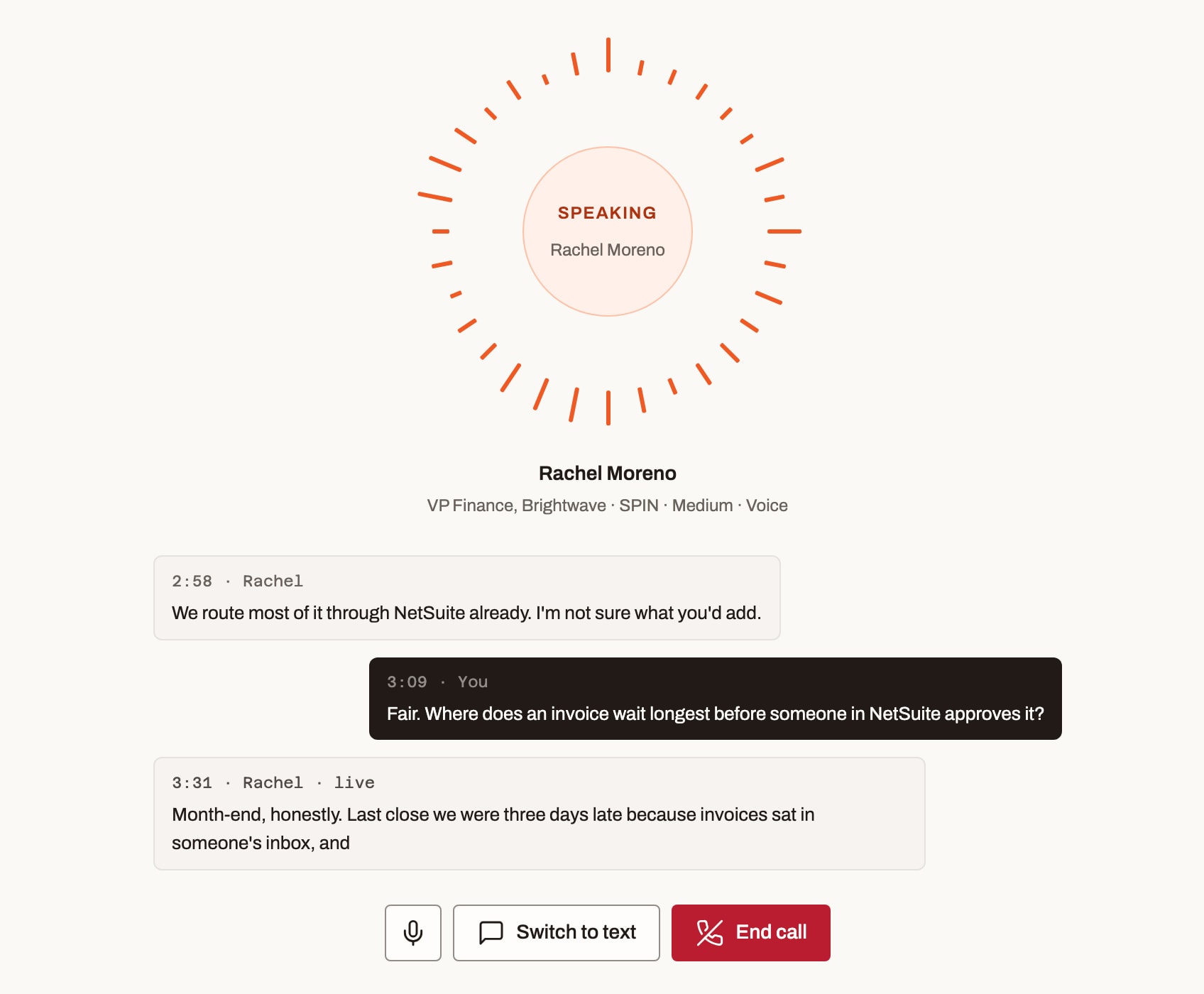
Voice is the default, because a real call is spoken. If you can’t talk right now, switch to text. The buyer doesn’t agree to be polite. She interrupts long answers, asks for numbers, and brings up the objections from her profile when they fit the conversation.
You decide when the call is over. Most practice calls take five to ten minutes.
4. Read the debrief
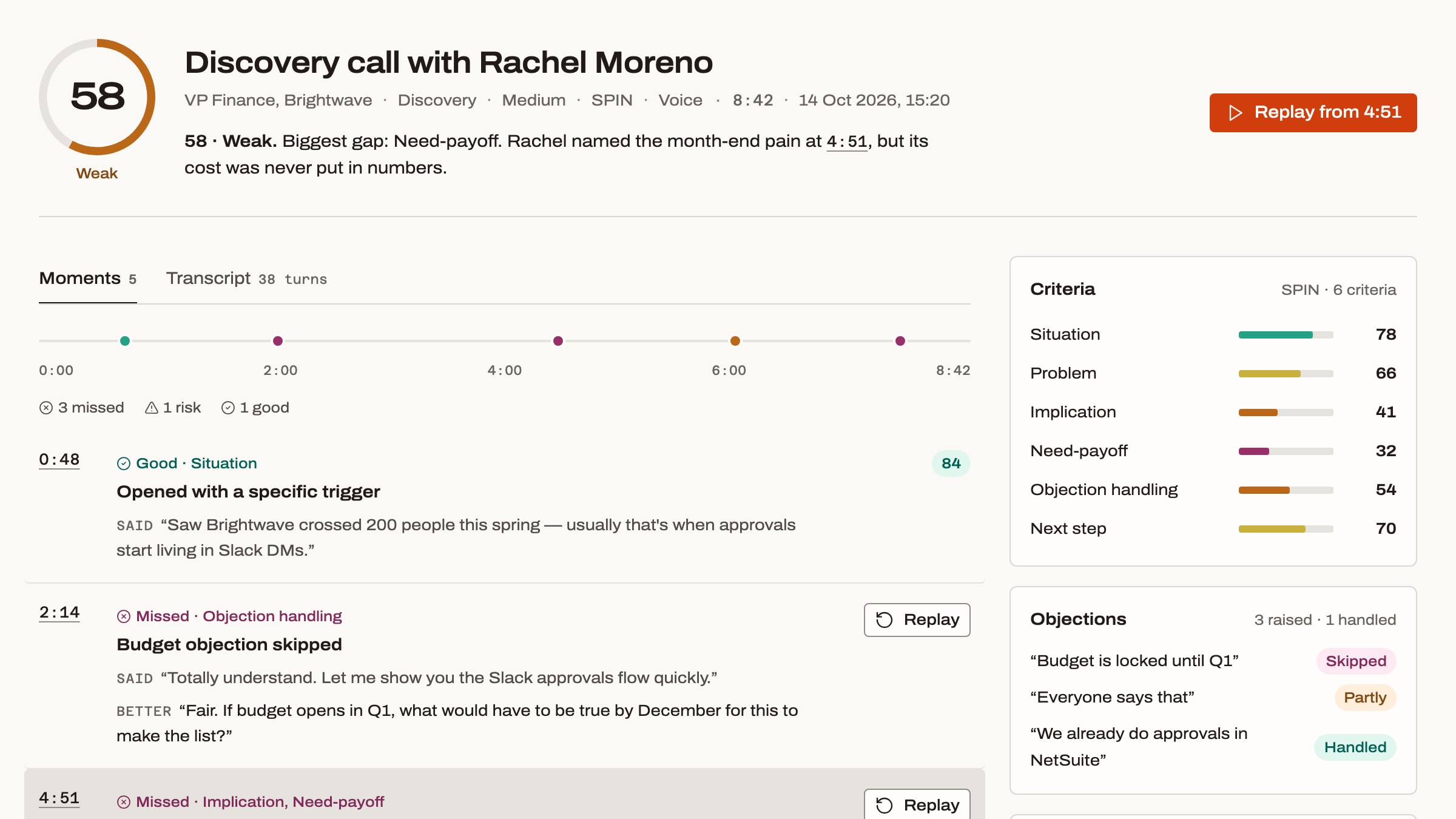
When you end the call, SalesLab scores it against the method you picked: SPIN, MEDDPICC, Challenger or NEPQ.
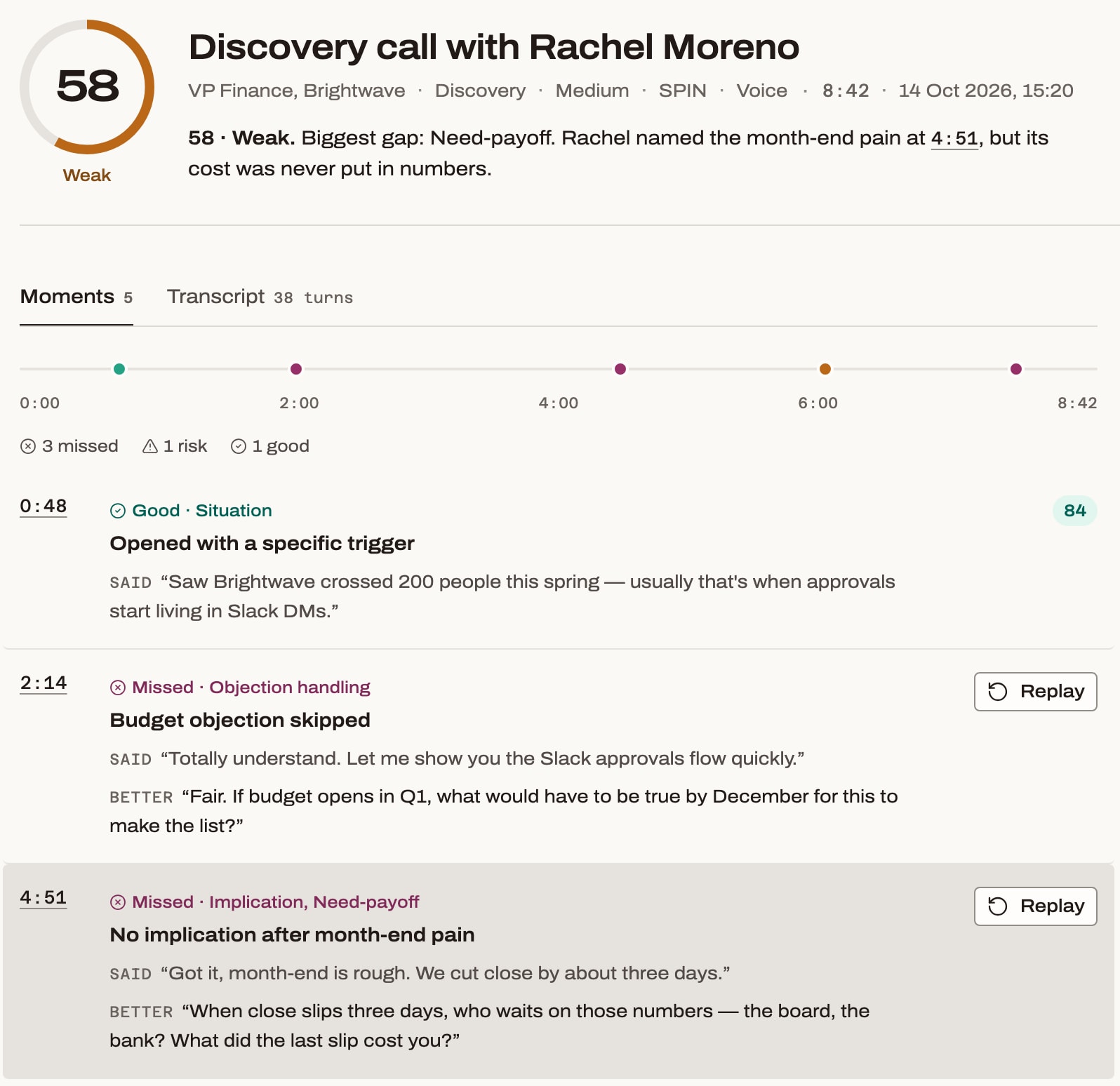
What you get:
- a total score and a score for each criterion of the method;
- every objection the buyer raised, and whether you handled it;
- moments on a timeline, each with what you said and a line that would have worked better.
A weak call gets a low score. The debrief tells you where it went wrong, down to the second, so you know what to fix.
5. Replay the weak moment
Next to each missed moment there is a Replay button. Press it and the call restarts just before that moment, with the same buyer and everything said up to that point.
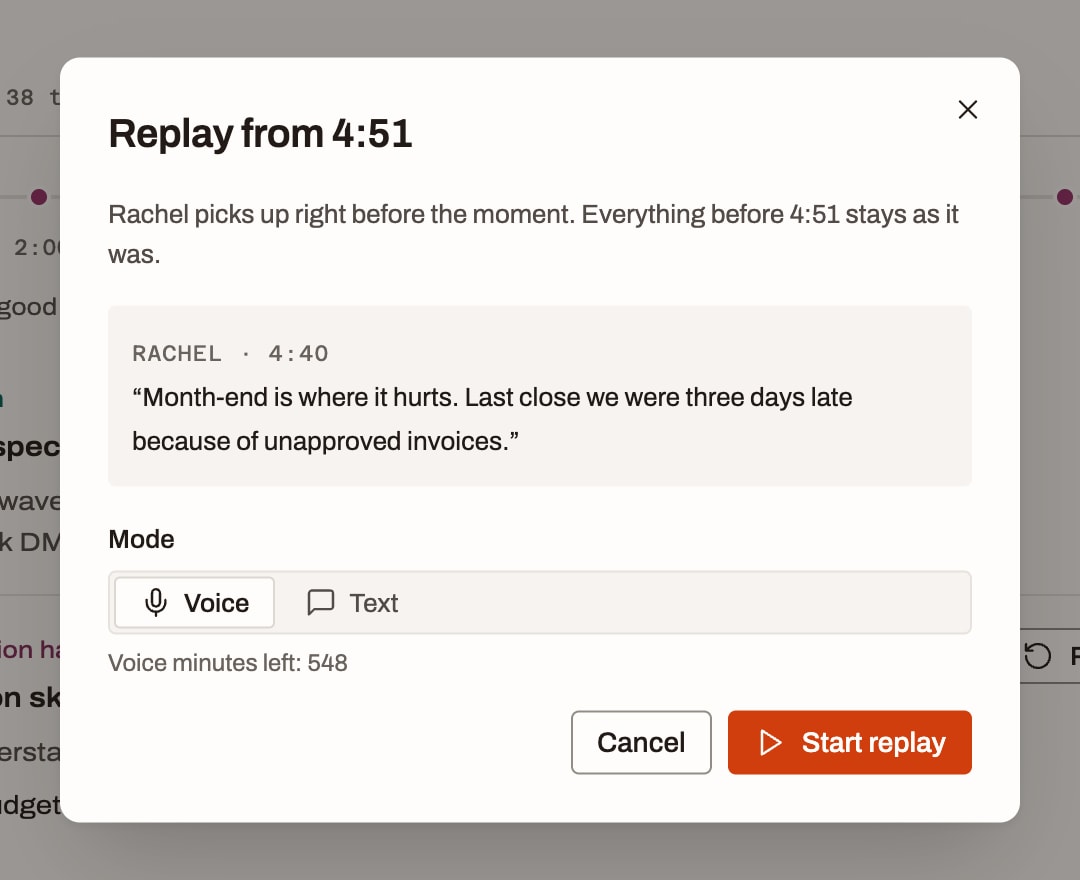
You don’t have to redo the whole call to fix one answer. Try the better line, or your own, and see how the buyer reacts. Each replay gets its own score, and the Progress page shows whether that criterion is going up over your last calls.
Try it on your product
Paste your site. Buyers built for it show up in about a minute.
Questions
Do I need an account to see the buyers?
No. The preview with your product profile and buyer segments works without sign-up. You sign in with Google when you start the call, so the debrief is saved.
Can I practice by text instead of voice?
Yes. Every call can run by voice or by text, and you can switch to text during a voice call.
Does SalesLab record my real sales calls?
No. SalesLab is for practice only. You talk to an AI buyer; your real calls are never recorded or analyzed.
Keep reading
Cold call practice
Cold call script: 8 B2B scripts with buyer replies
Eight B2B cold call scripts by situation, from the opener to voicemail and “not interested”, with what buyers say back and your next line.
· 12 min read