Prep for every call on your calendar.
Paste your product link. A buyer built from it picks up in under 3 minutes, pushes back like the real one, and you get a debrief with timestamps.
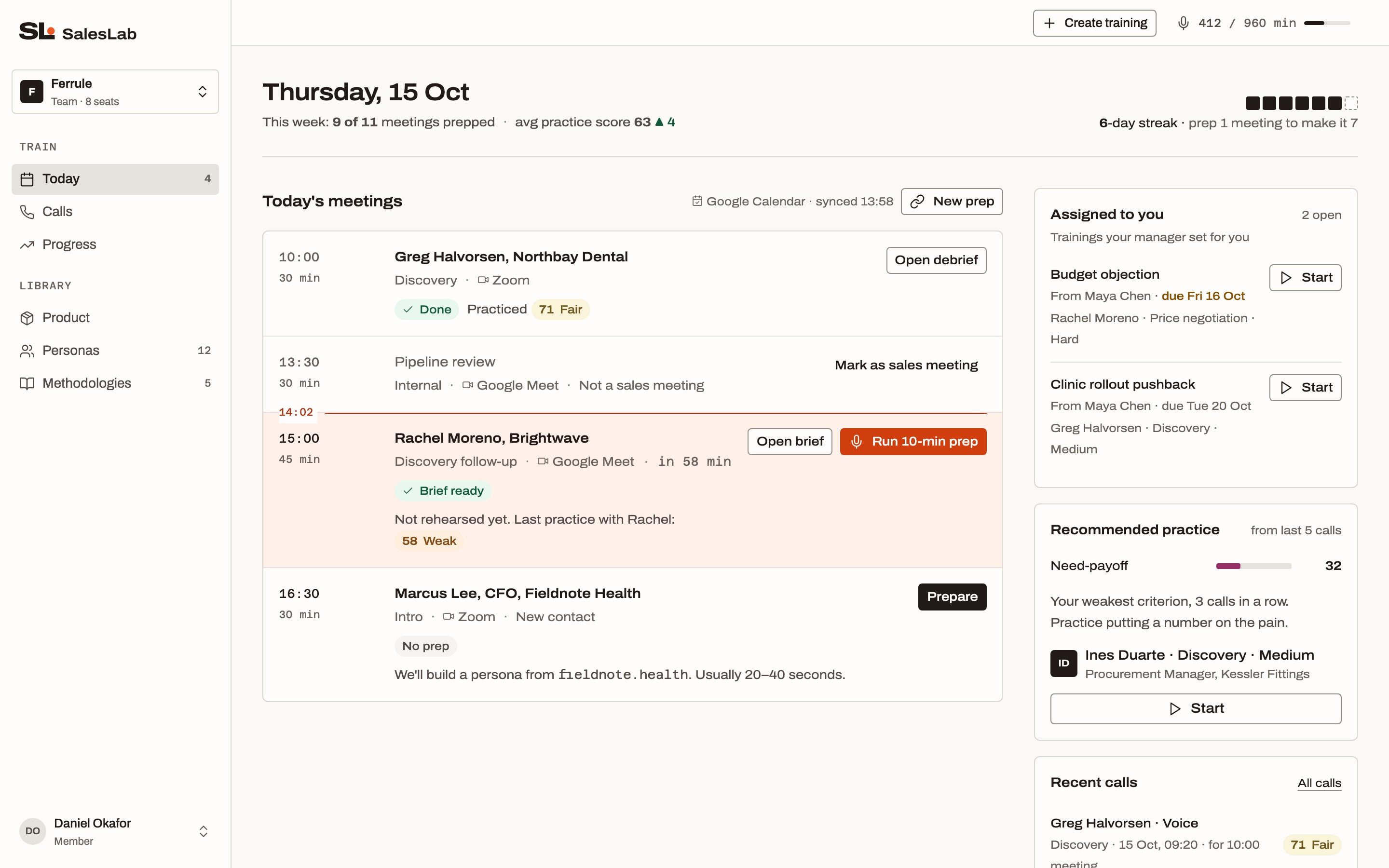
From calendar to debrief in 15 minutes
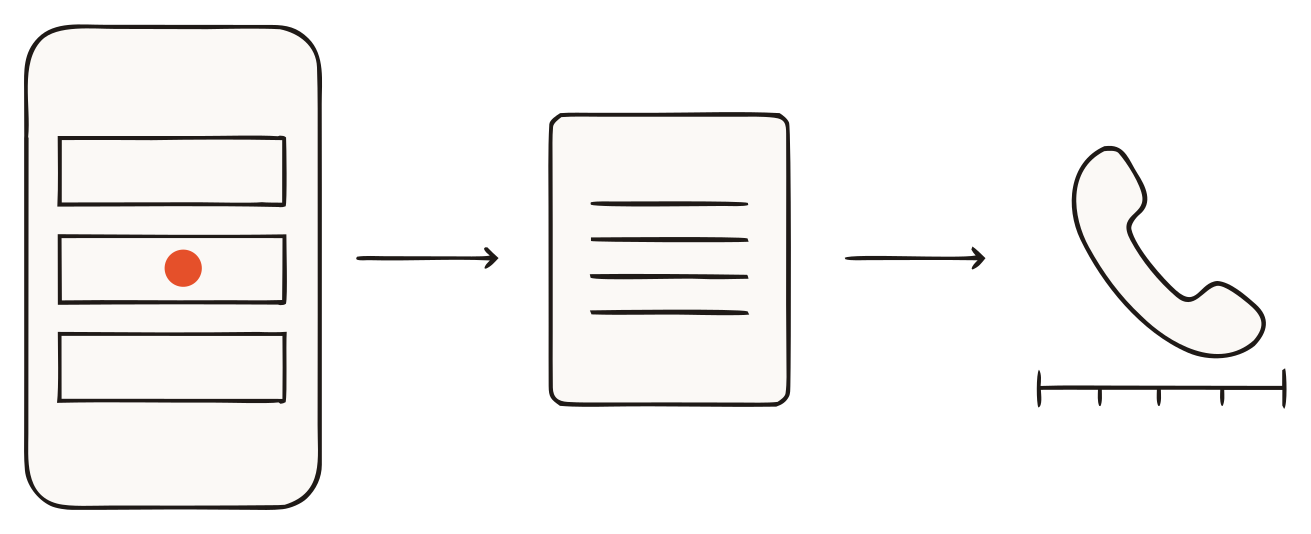
SalesLab reads your calendar, builds a buyer for each meeting, and gives you 10 minutes to rehearse before the real call.
- 01 · 08:30
Morning plan
Today's sales meetings from Google Calendar or Outlook, with prep status for each.
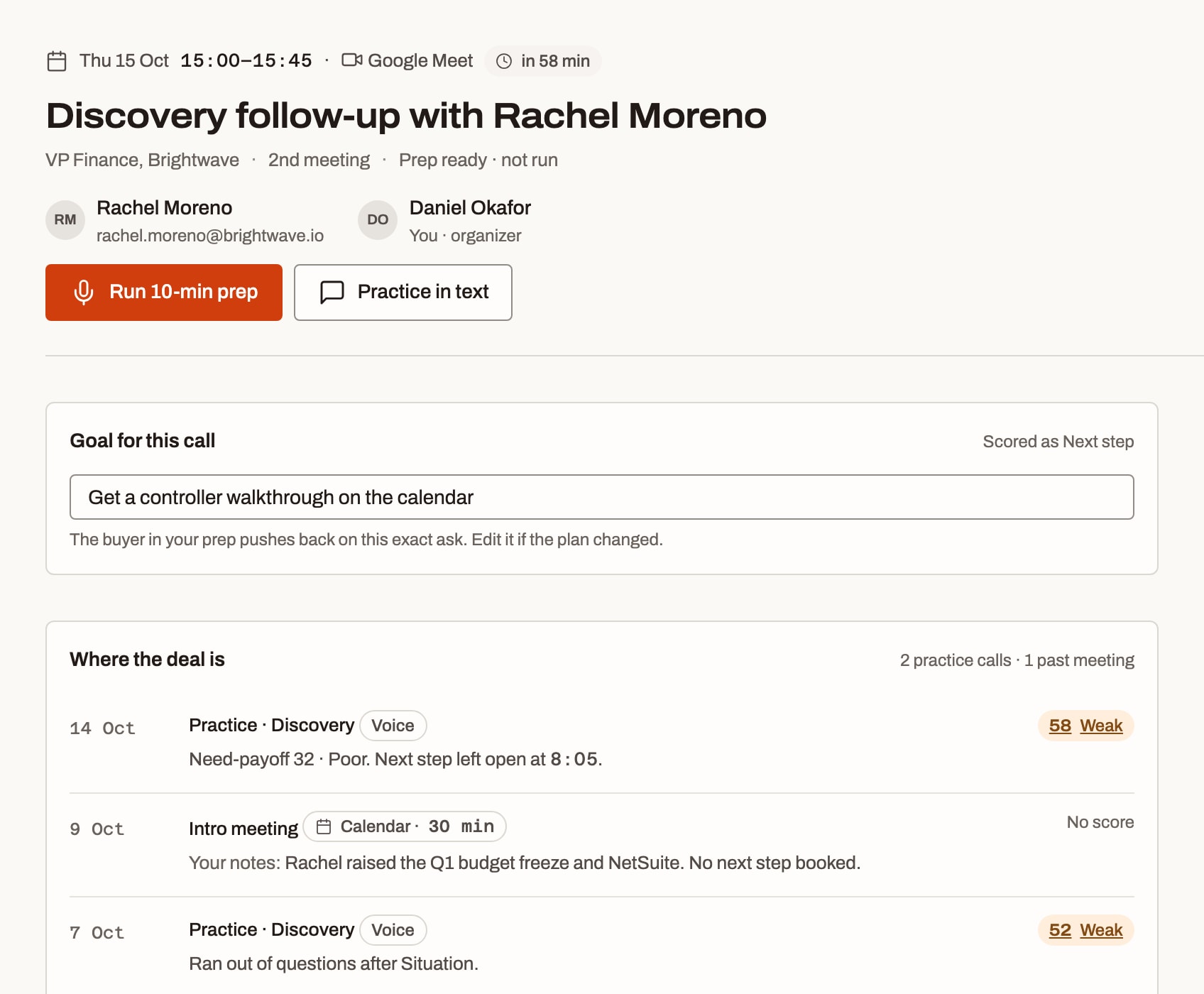
- 02 · 14:00
Brief an hour before
Who the buyer is, where the deal stands, which objections to expect, and the goal for this call.
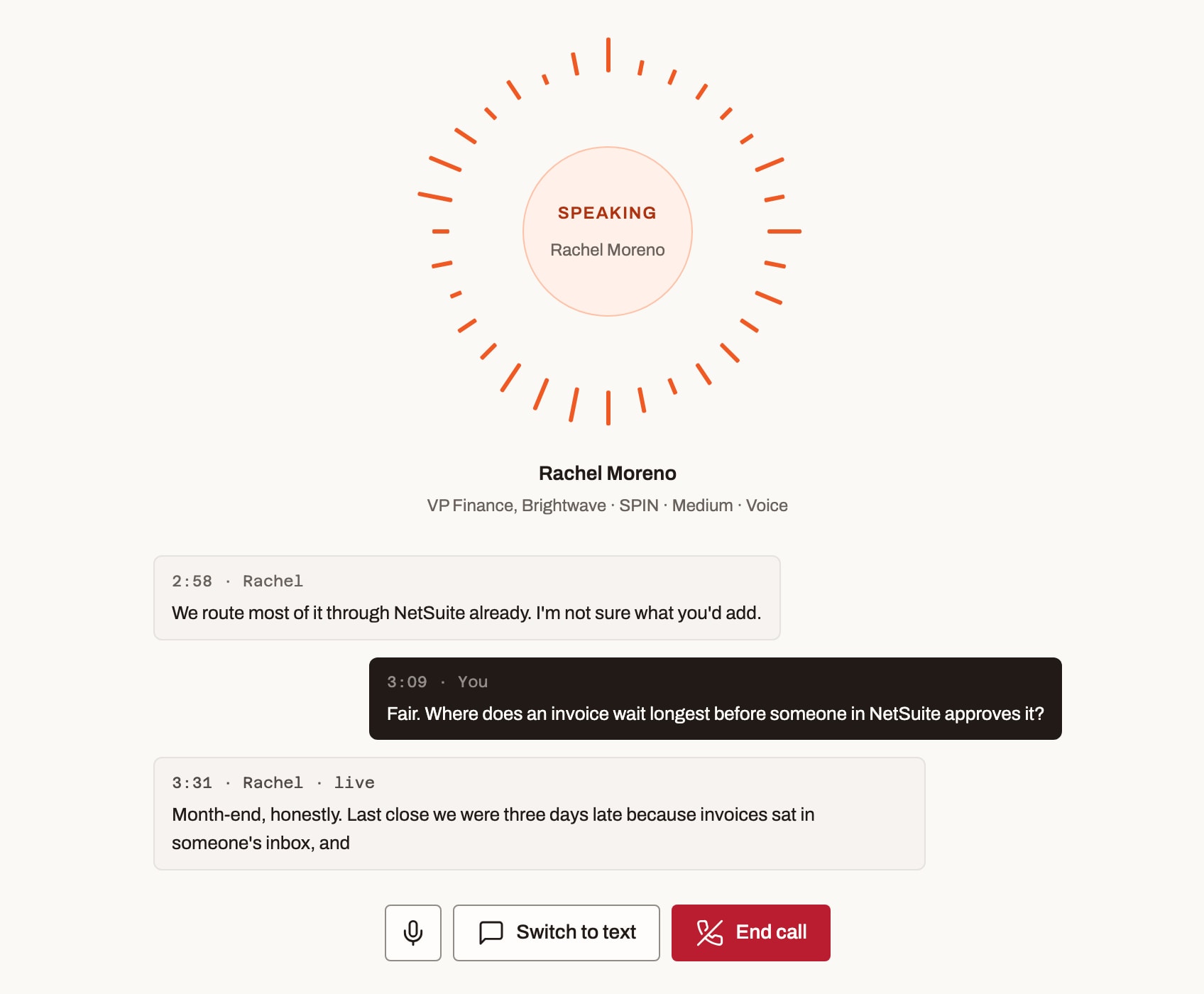
- 03 · 14:05
10-minute rehearsal
Voice or text. The persona is built for this client and pushes back on the exact ask you plan to make.
- 04 · 14:15
Debrief
Score by criterion, timestamped moments, what you said and what would have worked better.
It tells you where the deal was lost. To the second.
Every call is scored against the methodology you pick. No cheerleading: a weak call looks like a weak call.
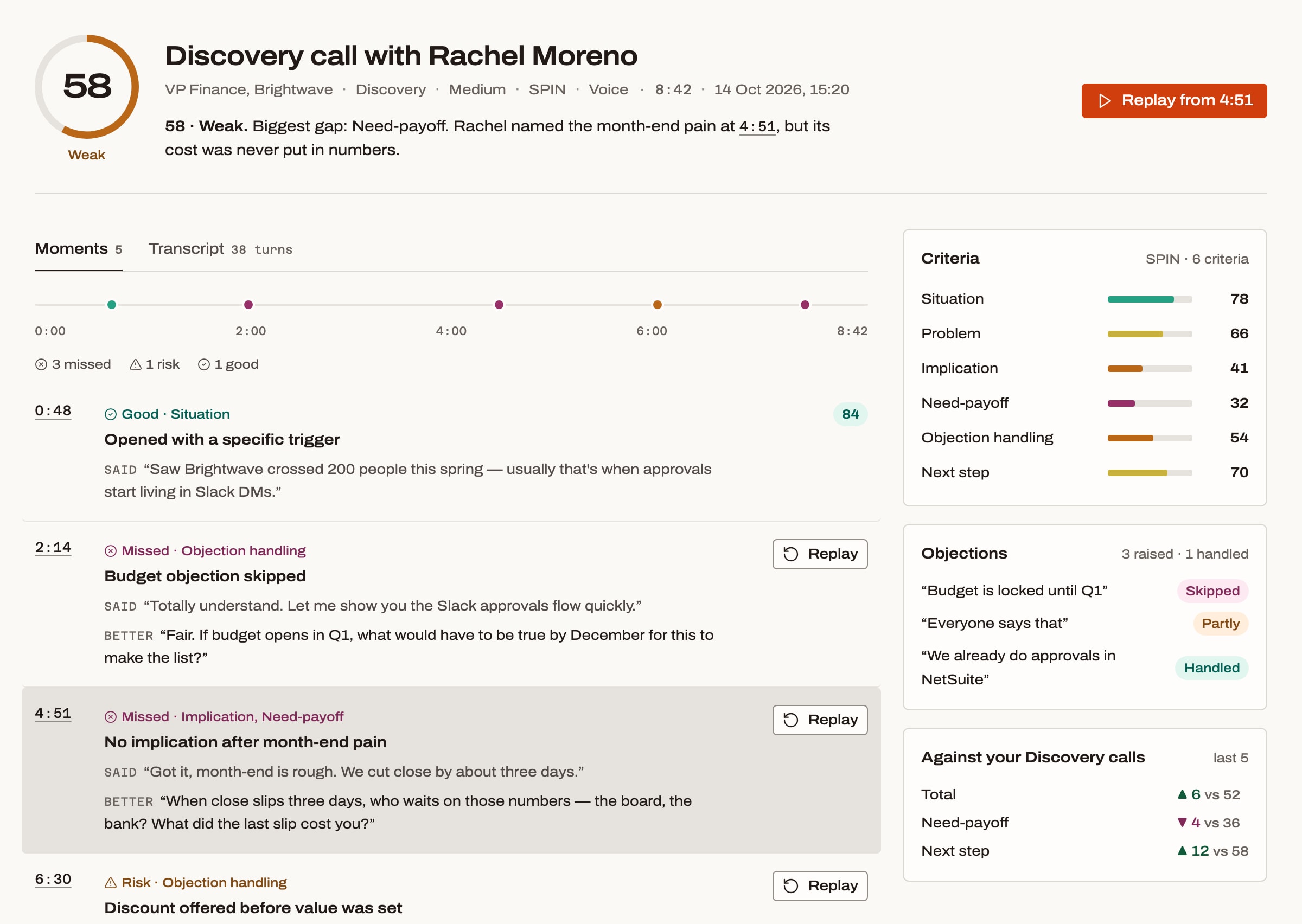
- 2:14
- Budget objection skipped. You moved to the demo instead of asking what would make Q1 possible.
- 4:51
- Month-end pain named, never put in numbers. Replay from this moment and try again.
- 58
- Total score, with Need-payoff at 32 as the biggest gap across your last 5 calls.
Link in, buyer on the line in under 3 minutes
- 01
Paste your product link
We read the site: what you sell, price, competitors, who buys.
- 02
See who you sell to
Three buyer segments with typical objections. Everything is editable after sign-in.
- 03
Talk to the buyer
Sign in with Google and the call starts. Voice by default, text if your mic is off.
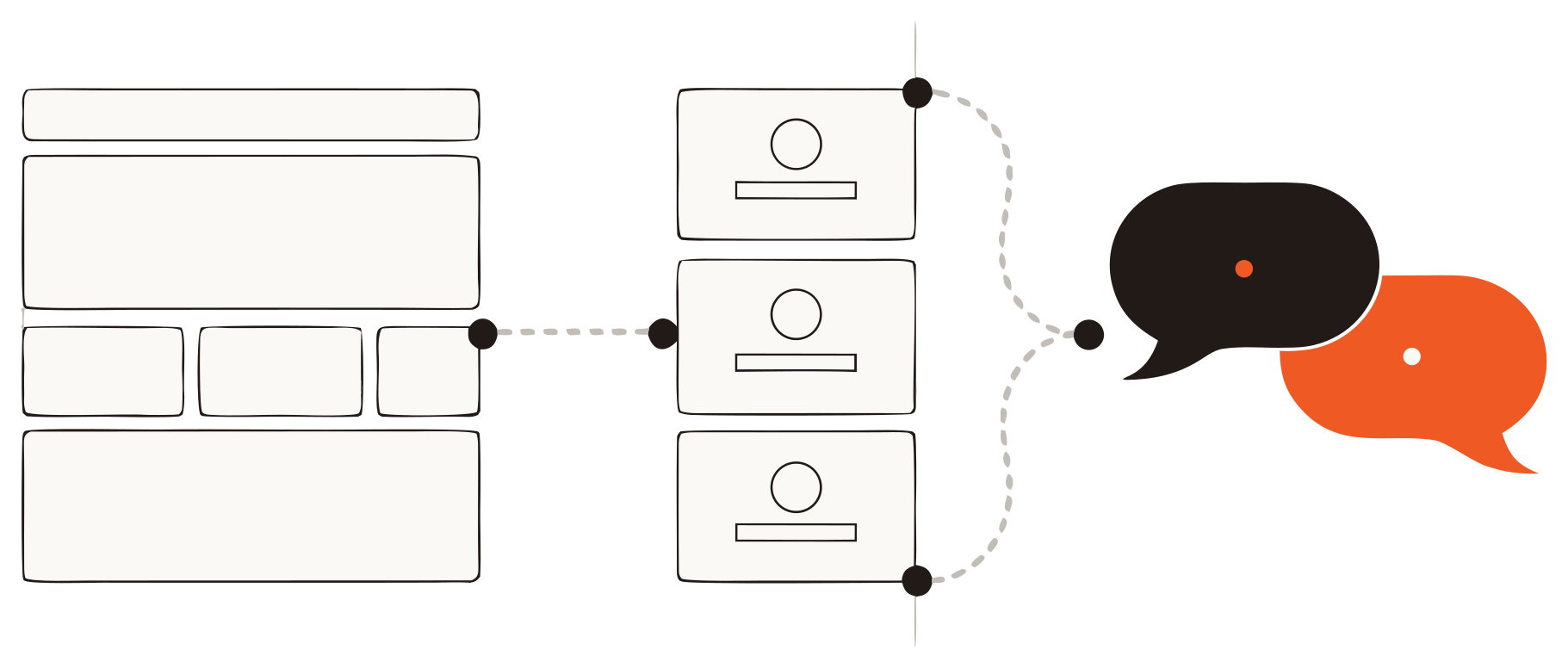
Scored against the method your team uses
Pick one per training. Or upload your own playbook on Solo and Team.
SPIN
Situation, Problem, Implication, Need-payoff. For discovery.
NEPQ
Neuro-emotional persuasion questions. For skeptical buyers.
MEDDPICC
Qualification: metrics, economic buyer, decision process, champion.
Challenger
Teach, tailor, take control. For reframing the buyer's view.
Works with the tools you already have open
- Google Calendar
- Reads today's meetings to build briefs. Read-only.
- Outlook
- Same for Microsoft 365 calendars. Read-only.
- Slack
- Prep reminder and debrief link in a DM.
- Telegram
- The same reminders, if your team lives there.
- Morning plan and reminders, no app needed.
We read event title, time, attendees and meeting link. We never write to your calendar and never record your real calls.
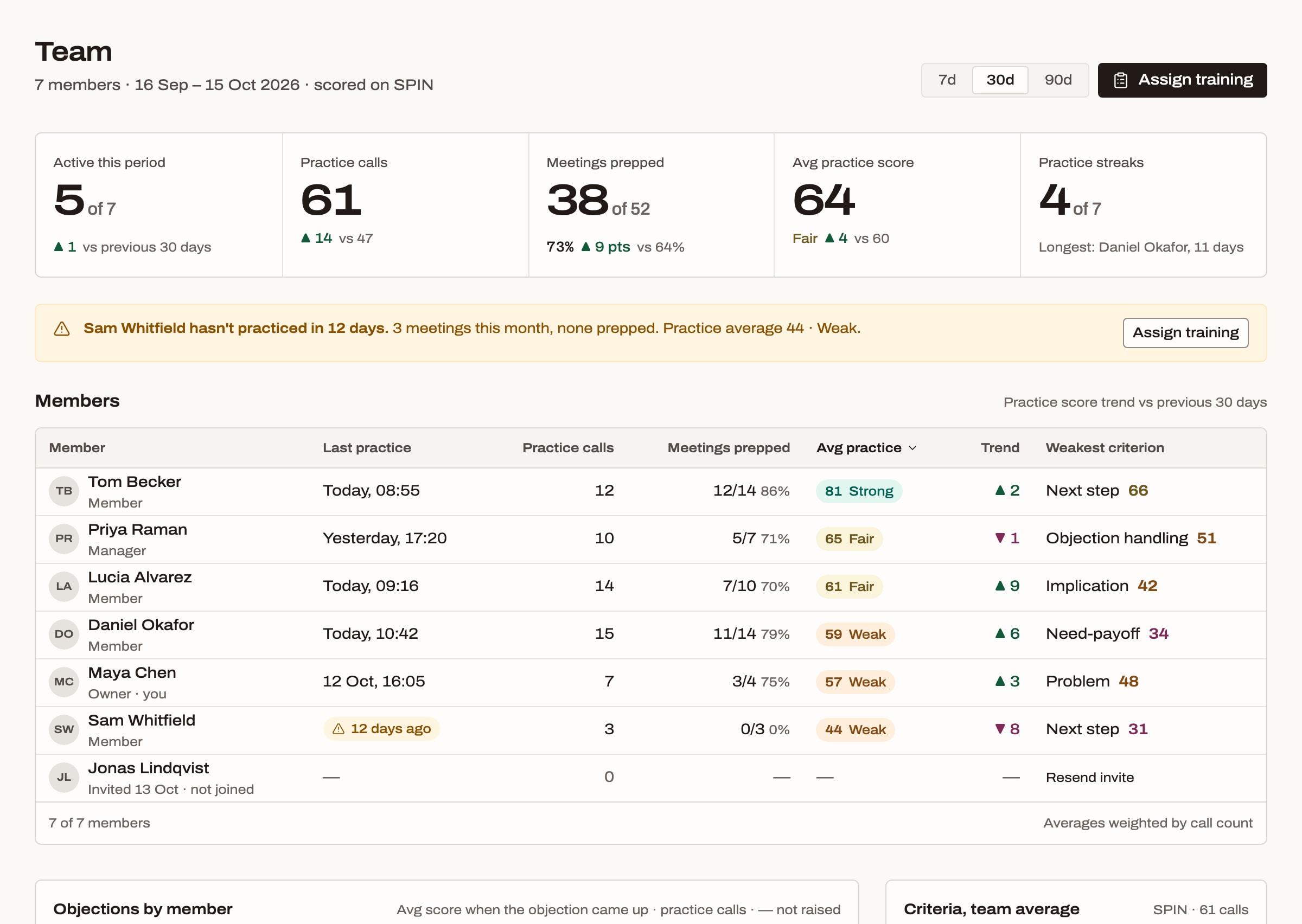
See who prepped, not who logged in
For sales leads with 3–15 sellers.
- Who trained this week and how many real meetings they prepped for
- Team average by criterion and the objections everyone misses
- Assign a training on the exact weak spot, with a due date
Start free. Pay when it's part of your day.
Free
Try it on your product
$0/ month
Start free- 5 text practice calls a day
- One 3-minute voice call
- Buyer personas from your website
- Debrief with timestamps
- SPIN, NEPQ, MEDDPICC, Challenger
Solo
Most pickedSellers and founders with a calendar full of calls
$29/ month
Start with Solo- Unlimited text practice
- 120 voice minutes a month
- Google Calendar and Outlook: brief before every call
- 30 client personas a month
- Reminders in Slack, Telegram or email
- Your own methodology, CSV export
Team
Teams of 3–15 and their sales lead
$39/ seat / month
Start with Team- Everything in Solo, per seat
- Shared voice pool: 120 min per seat
- 200 client personas a month
- Manager dashboard: who trained, averages, weakest criteria
- Assign trainings to members
Questions
Does SalesLab record or analyze my real calls?
No. SalesLab is a practice tool. It reads your calendar to know which meetings are coming, and you rehearse them with an AI buyer. Your real calls are never recorded.
What do you read from my calendar?
Event title, time, attendees and meeting link, read-only. We never create, change or delete events, and calendar data is never used to train AI models.
How realistic is the buyer?
The persona is built from your product page and, for a meeting, from what you know about the client. It has a role, a company, a temperament and the objections buyers like that raise. It interrupts, asks for numbers and does not agree just to be nice.
Voice or text?
Both. Voice is closer to the real call; text is faster between meetings. Free includes one 3-minute voice call and 5 text calls a day.
Which languages are supported?
English for now.
Do I need to set anything up?
No. Paste your product link and sign in with Google. Connect a calendar later when you want briefs for real meetings.
Can I cancel anytime?
Yes. Paid plans are monthly; the plan stays active until the end of the paid month.
Your next call is on the calendar. Rehearse it first.
Paste your product link. No card, no setup.